A WhatsApp chatbot for business is software that replies to your customers' messages on your company number from a knowledge base you write and approve. It answers repeated questions, qualifies leads and books appointments, then hands the conversation to a member of staff when needed. That, in short, is how a WhatsApp chatbot works: it runs on the WhatsApp Business Platform, not the ordinary app, and connects to your store or systems so it answers with real information.
In this guide we explain the difference between an auto reply and a chatbot, how a customer's message travels from arrival to reply, what the bot handles and what stays with your team, and the setup steps and mistakes that make it fail. If you are looking for someone to build it for you, that is what our WhatsApp chatbot for business service delivers.
What is a WhatsApp chatbot for business, and how is it different from an auto reply?
When a business owner searches for "chatbot", they mostly find general chat tools people ask about anything. A chatbot for business is something else: it runs on your company's WhatsApp number, speaks in its name, and only answers about its business and products, from information you have signed off in advance.
Many people confuse it with the WhatsApp Business auto reply. The free WhatsApp Business app offers a greeting message, an away message and quick replies an employee picks by hand. They help at the start, but they do not understand the customer's question. Between the two sits a third type: a WhatsApp bot with a fixed menu of buttons.
| WhatsApp Business app auto reply | Button-menu bot | AI chatbot | |
|---|---|---|---|
| How it works | One fixed message for everyone | The customer picks from a list of options | Reads the message and picks the answer from approved knowledge |
| Understanding the question | Does not understand it | Understands the options only | Understands a question written in formal Arabic or in dialect |
| Connecting to your systems | None | Limited | Store, booking system and CRM, where they allow it |
| Handing over to a person | Manually | Through a menu option | By rules you set, with a summary of the conversation |
| When it suits you | Few messages and a small team | Limited, predictable questions | Many messages and varied questions |
The practical rule is simple. If your team answers the same messages every day, after-hours messages wait until morning, and serious buyers get lost among casual enquiries, you have outgrown the auto reply. If your messages are few and one person answers them quickly, you do not need a chatbot yet.
How a WhatsApp chatbot works, step by step
From the outside the conversation looks ordinary: a customer types, and a reply arrives seconds later. Behind the scenes, though, the message passes through set stages, and each stage involves a decision your team makes before launch, not the bot alone.
- 1Message arrivesIt reaches your company number through the WhatsApp Business Platform, not an app on an employee's phone
- 2Understanding the requestThe bot works out what the customer wants: a question, a booking, an order status or a complaint
- 3Reply or actionIt answers from approved knowledge, books an appointment, or shows the order status from your system
- 4Handover when neededIt passes the conversation to a member of staff with a summary when a handover rule applies
- 5RecordThe conversation and its outcome are saved in the CRM or the team dashboard for follow-up
A chatbot does not run through the WhatsApp app on a phone but through the WhatsApp Business Platform. It connects either directly through the Cloud API that Meta provides, described in the official developer documentation, or through an approved service provider that handles hosting and part of the setup.
The most important thing to know here is the customer service window. When a customer messages you, the bot can reply freely for a set period starting from their last message. After that, or if you want to start the conversation yourself, you need a message template WhatsApp approves, and the customer's consent to receive your messages, as the WhatsApp Business Messaging Policy requires.
What does the connection need technically?
- An account in your company's name on the WhatsApp Business Platform, linked to a Meta business account in the same company's name.
- A phone number connected to the platform, either new or existing, after checking its status and what will change for it.
- A written knowledge base the bot answers from, and an AI model that understands messages and drafts replies.
- Connections to your systems when you want the bot to book or show an order status: the store, the appointment system and the CRM.
- A team dashboard where staff pick up handed-over conversations and reply from the same number.
What does the chatbot handle, and what stays with your team?
What most often makes a bot fail is asking it to do everything. A chatbot for business is good at what repeats and has a clear answer, and it goes wrong when it is left with what needs judgement, negotiation or empathy. So divide the work before you build, not after the first complaint.
This is what we mean by AI customer service with a team behind it. The bot replies at night, at weekends and at peak hours; the team writes what the bot says, picks up what goes beyond it, and decides when something changes. AI here is a tool in the team's hands, not a replacement for it.
The same division extends to sales. When the bot qualifies a customer and records their answers, the salesperson receives a customer they already know something about, and picks up where the conversation left off. This is part of what we build in sales automation: connecting WhatsApp to follow-ups, reminders and the stages of a sale.
Steps to set up a WhatsApp chatbot in your company
Setting up a WhatsApp chatbot for business is a short project if it starts in the right place: your current conversations, not a list of features. These are the steps in the order we work through them:
- Read your current conversations. Take a sample of recent WhatsApp conversations and pull out the questions that repeat most, the ones where replies are slow, and the points where customers get lost.
- Define the bot's tasks. Choose what it handles at first. Start with a few things it can do well, then add more once you have seen how it performs.
- Write the knowledge base. Approved answers to every question, with current prices and policies, and the tone you want: formal, or close to the way your customers talk.
- Set the handover rules. When the conversation moves to a person, to whom, at what hours, and what the bot tells the customer when nobody is available.
- Connect your systems. The store, the appointment system, or a CRM system that keeps the customer's details, answers and stage.
- Test in dialect. Try the bot with messages written the way your customers actually write: in colloquial Arabic, with spelling mistakes, in very short messages, and with out-of-scope questions.
- Launch on a limited scale, and review. Start with set hours or tasks, review conversations regularly, and add any new questions that come up to the knowledge base.
Among the decisions to make before launch are what customer data the bot keeps, where it is stored, for how long, and who can access it. This is personal data, governed in the Kingdom by the Personal Data Protection Law, and the practical rule is that the bot asks the customer only for what it really needs to complete their request.
Mistakes that make a WhatsApp chatbot fail, and how to measure success
Most of the bots customers complain about did not fail because the technology was weak, but because one of the setup decisions was left open. Knowing how a WhatsApp chatbot works helps you spot these common mistakes before your customers do:
- A bot with no way out: it sends the customer back to the menu every time they ask for a person, and they leave the conversation angry.
- Out-of-date knowledge: prices or the shipping policy change, and the bot keeps giving the old answer because nobody was put in charge of updating it.
- A general bot that guesses: it answers questions outside your business, or invents information when it cannot find it, instead of handing over.
- Launching without testing in dialect: it understands formal Arabic in the demo and stumbles on the first real colloquial message.
- Nobody reviews it: weeks pass without anyone reading what the bot says in your company's name.
These mistakes cost more when your ads send customers straight to WhatsApp. The campaign you pay for ends in the conversation, and a bot that replies badly wastes what you spent on it. That is why we link setting up the bot with setting up campaigns, as we explain in our article on AI advertising campaigns.
As for measurement, start with your own numbers before and after launch, not general figures: time to first reply, the share of conversations the bot completed without a handover, the number of handed-over conversations and why, the questions left unanswered, and the number of appointments or orders that started on WhatsApp. These are what tell you whether the bot is working for you.
Why choose Graphica to build your WhatsApp chatbot?
We build WhatsApp chatbots following the steps set out in this guide. These are the reasons Graphica is worth a place on your shortlist:
- We start from your conversations, not a ready-made template: we read a sample of your current conversations with your team, and divide tasks between the bot and staff before writing a single answer.
- Written knowledge that you approve: the bot answers from a knowledge base we write with you and you sign off in writing, and we set it to hand over what it does not know instead of guessing.
- Testing in Saudi dialect before launch: we test it with messages written the way your customers actually write, then review conversations after launch and update the knowledge.
- Connected to your store and systems: we also build stores, websites and systems, and we are an official partner of Salla and Zid, so we connect the bot to where your orders and customer appointments live.
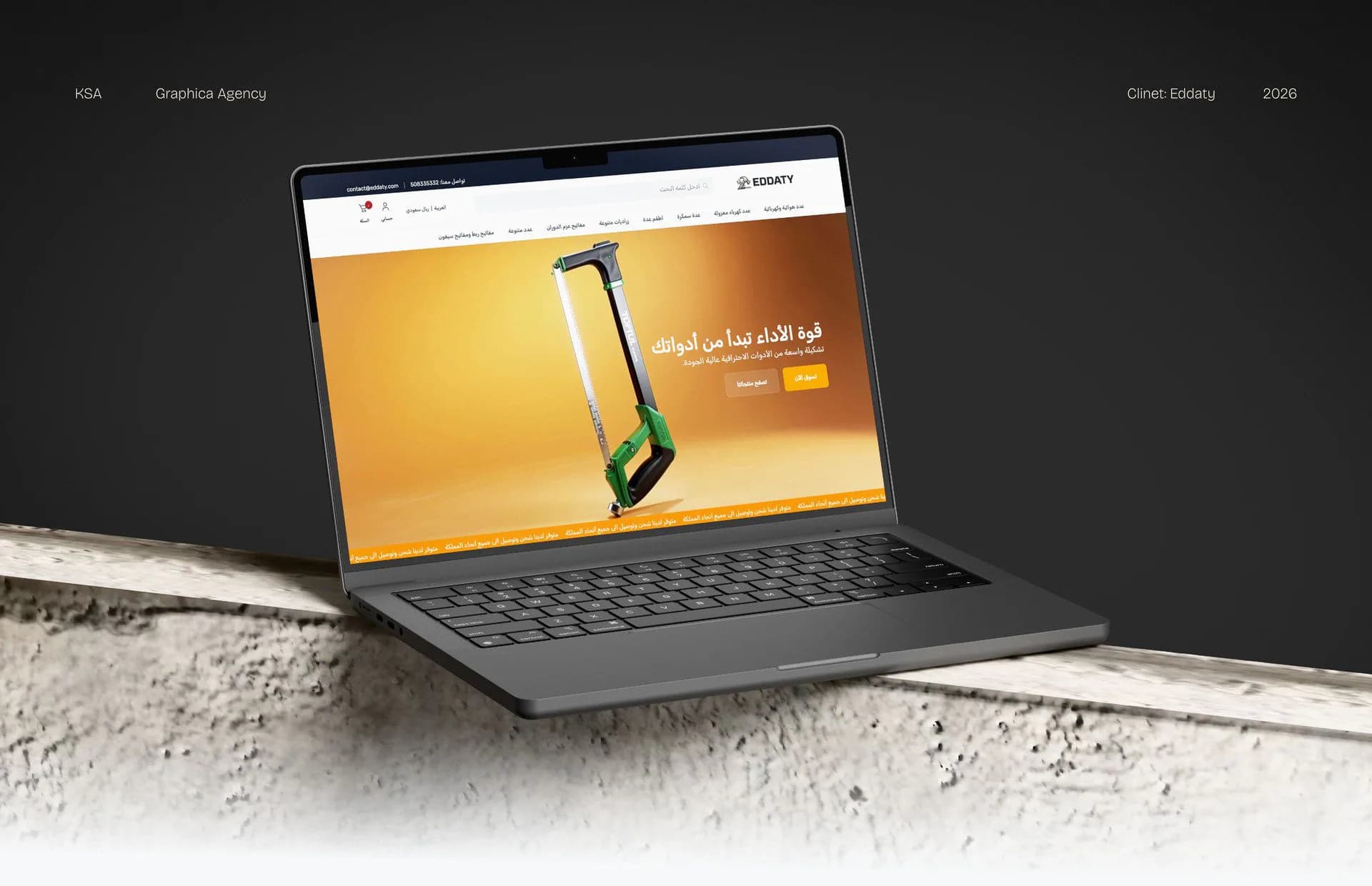
Our e-commerce work, a sector where questions about shipping, stock and order status come up again and again, includes the Eddaty tools store on Salla: we designed the storefront, the mobile version and the product card, added the products, and produced a promotional video for the store. We have delivered +150 projects for our clients across all of the agency's tracks.
If WhatsApp is a main channel for your sales or customer service, see Graphica's WhatsApp chatbot service, or message us on WhatsApp with the questions your customers send most often.
Frequently asked questions
What is a WhatsApp chatbot for business?
It is software that receives your customers' messages on your company's WhatsApp number and replies automatically, using information you write and approve: your products, prices, policies and opening hours. It can ask qualifying questions and book appointments, then hand the conversation to someone on your team when the customer needs a person or asks something it does not know.
What is the difference between a WhatsApp Business auto reply and a chatbot?
An auto reply in the WhatsApp Business app is a fixed message sent to everyone: a greeting, an away message, or a quick reply an employee picks. A chatbot runs on the WhatsApp Business Platform: it reads each question, picks the right answer, connects to your systems to book appointments or show order status, and hands over when needed.
Can a chatbot message customers first?
A chatbot can reply freely to a customer during the customer service window that their message opens. Messages your company starts after that, such as an appointment reminder or a new offer, need a template WhatsApp approves in advance, and the customer's consent to receive your messages. So we prepare these templates and the consent flow with the bot.
Does a chatbot replace customer service staff?
No. The chatbot handles repeated questions and simple tasks, such as prices, shipping, opening hours and booking appointments, so your team is free for what needs a person: complaints, negotiation, special requests and customers ready to buy. Most important is a clear handover rule in the bot, so a customer who wants a person never goes round in circles.
What does a company need before setting up a WhatsApp chatbot?
You need a company number that can connect to the WhatsApp Business Platform, someone who knows your customers' questions and approves the answers, written information about your products and policies, and a clear decision on which tasks the bot handles and which stay with your team. Connecting it to your store, booking system or CRM also needs access to them.
Start with your current conversations
Understanding how a WhatsApp chatbot works shows that it is not a tool you buy and leave, but a small system built on written knowledge, clear handover rules and a team that reviews what it says in your name. Start by reading your current conversations and identifying what repeats in them, then build on that. If you would like us to build it with you, send us your request and we will come back with a written proposal setting out the scope and steps.